
Apple Homepage
Rebuild
Role:
Product Designer
Type:
Independent Study
Length:
Personal Project
Focus Areas:
Key Contributions:

A structural study of Apple's homepage, recreated entirely in Figma.
01. Overview
2. Goals
Deepen my understanding of Figma's Auto Layout 4.0, including both flex and grid modes.
Recreate a complex, real-world marketing layout to test scalability and precision.
Build a fully modular file using reusable components and variable-driven spacing.
Strengthen my ability to think in system architecture (spacing, rhythm, consistency)
Practice creating developer-friendly layouts that translate easily to code.
04. The Starting Point
NAMP was originally built in the early 2000s as an internal platform to help the United States Forest Service manage infrastructure projects and deferred maintenance across national forests.
Over the years, the platform has expanded to include multiple modules, but its structure and UX patterns have remained largely unchanged. The interface lacked visual clarity, the workflows were fragmented, and key features were hard to access without deep familiarity.
Workflows were fragmented across modules with little to no cross-navigation
Projects and tasks were visually and functionally disconnected
Key information was buried in tabbed forms with minimal visual hierarchy
The interface relied heavily on memorized actions, rather than visual guidance and cues
Users needed to reference external training just to complete basic tasks
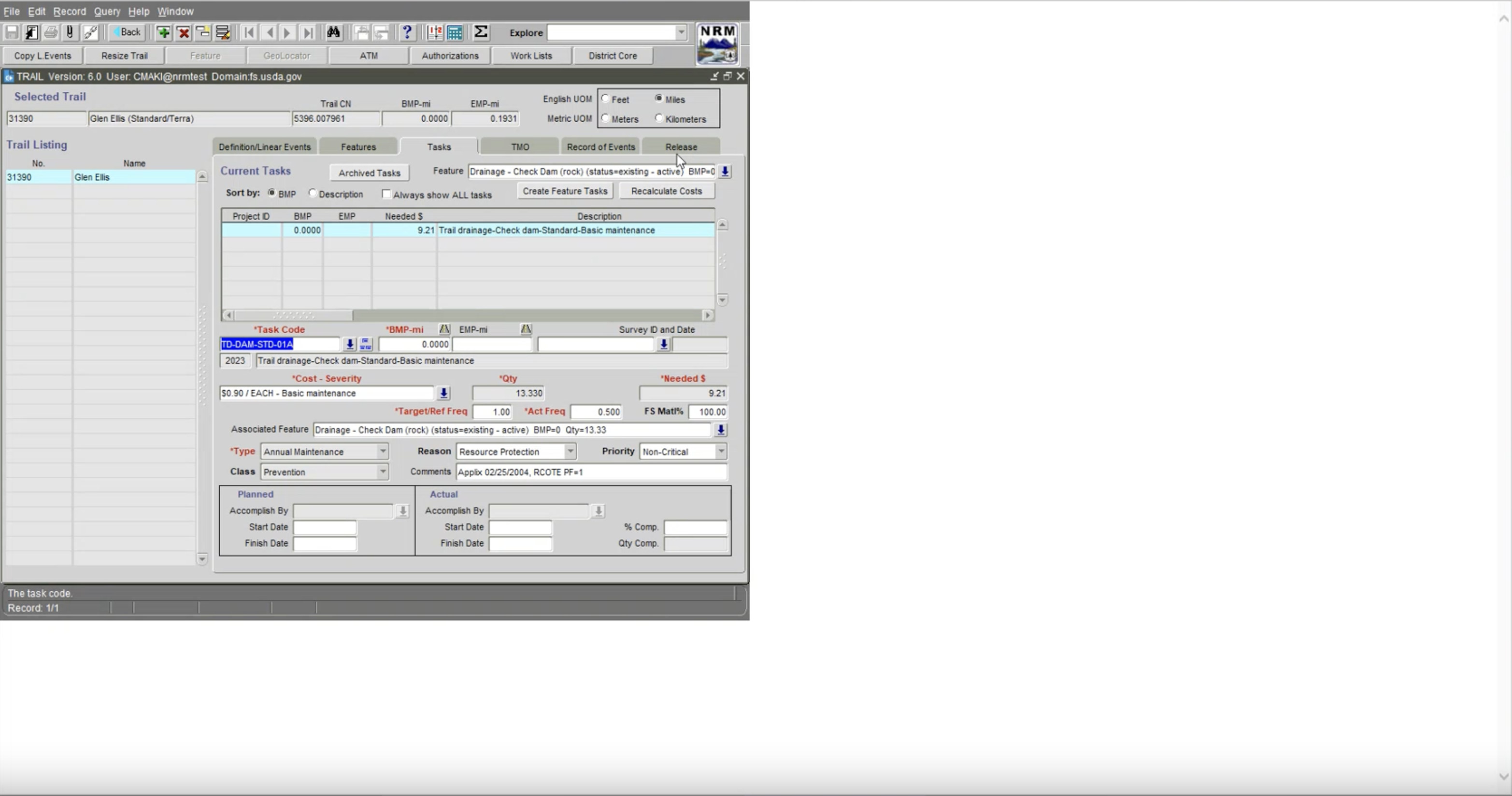
*Note* The white space is part of the software! (I know, right?)
05. Research and Design
Audit, Scope, Align
This helped me to understand how the system was intended to function and where friction might exist in the structure alone.
From there, I used these insights to scope the research plan, organizing interviews into two tracks:
user research with field staff who use the tool daily, and stakeholder research with program managers and leadership who relied on the platform for tracking and reporting.
This distinction allowed us to capture the full range of needs and expectations across the system.
- Audited platform structure and mapped core workflows across modules
- Identified early usability risks and areas of structural complexity
- Defined product scope to guide research and design
- Structured two research tracks: daily users vs. strategic stakeholders
- Set project cadence, structures, and deliverables with team
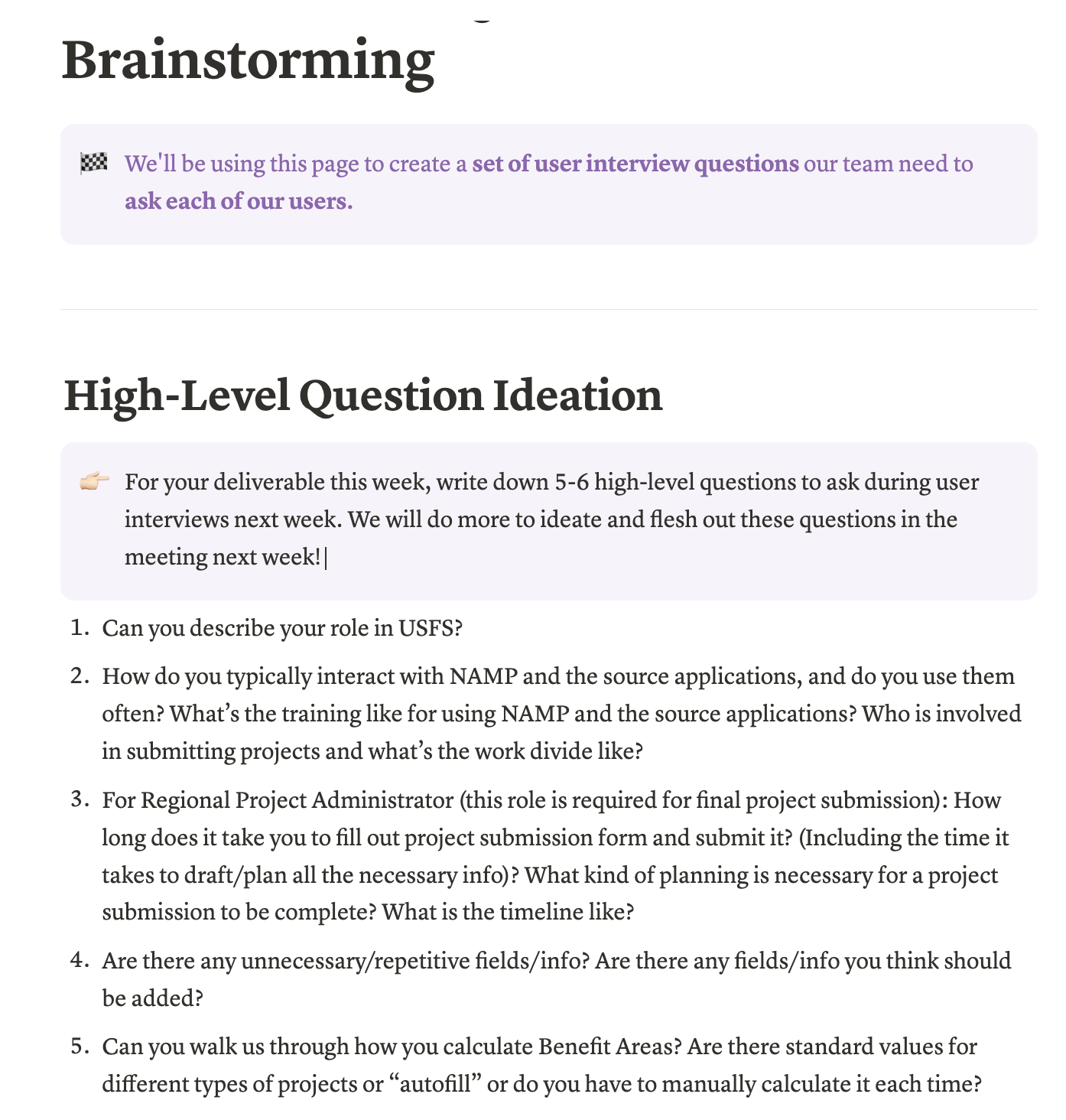
Interview & Synthesize
These insights then grounded the creation of user personas.
- Ran affinity mapping workshops to organize qualitative insights
- Created user personas representing core roles and usage patterns
- Mapped out ideal user flows across submission, tracking, and reporting
- Facilitated alignment around which flows to prioritize for redesign
Flow Mapping & Midpoint Alignment
These flows mapped both current pain points and ideal journeys for key tasks in the Infrastructure Projects and Project Submissions modules.
We then shared these flows, along with all of our research and design direction thus far, during our mid-point check-in with stakeholders.
Their feedback helped validate our approach and align the team around priorities for the second half of the project.
- Translated interview insights into current-state and ideal-state user flows
- Converted insights into decision points and failure paths for field and admin users
- Scoped design priorities based on workflow impact and stakeholder needs
- Developed and led midpoint presentation to USDA team to align on direction
- Used stakeholder input to refine roadmap and prioritize next phases of design work
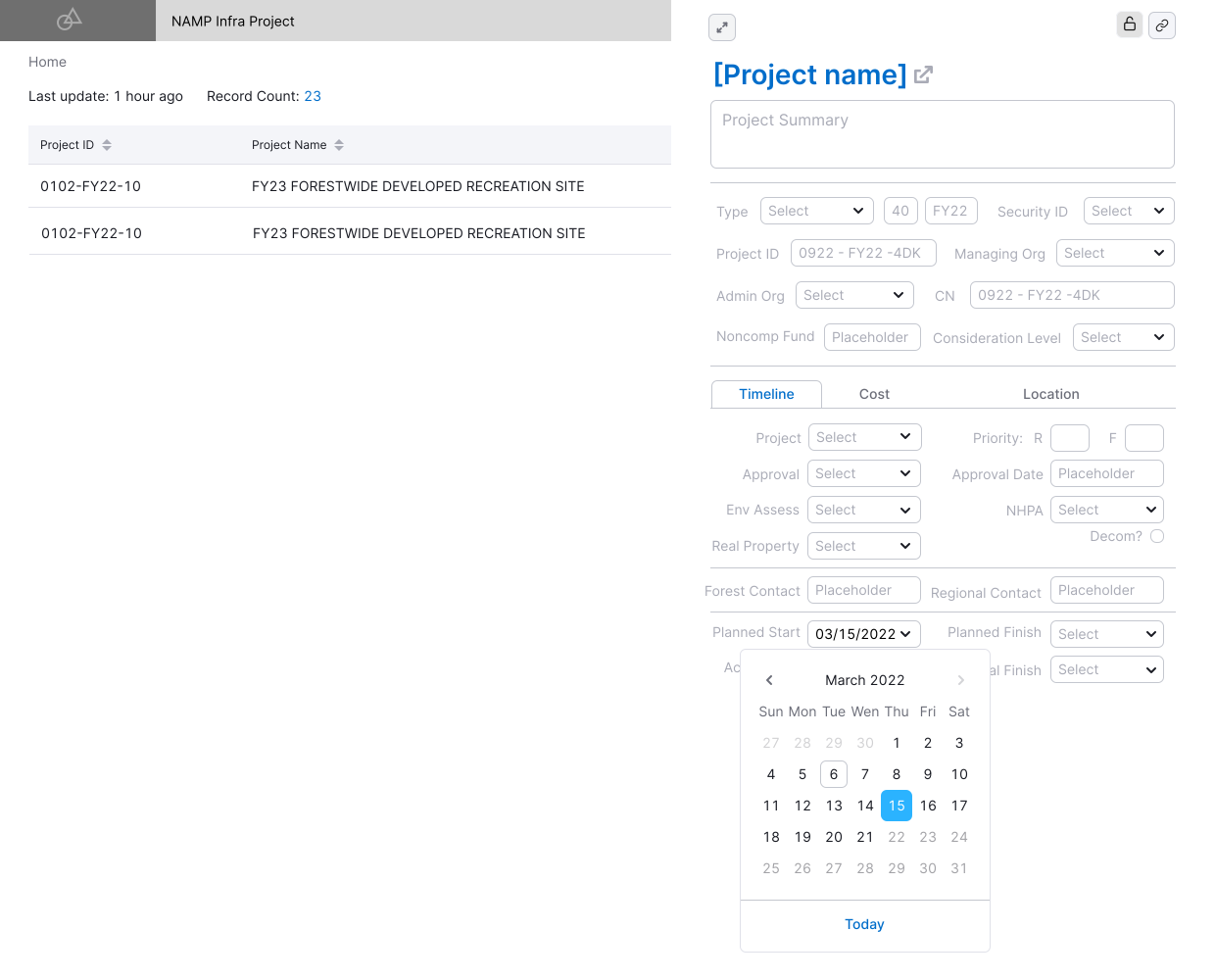
Lo-Fi Design - Infra Projects Module
I led our transition into design with a focus on the Infra Projects Module, which is one of the most complex and widely used parts of the platform. My goal was to translate core flows into intuitive interfaces that streamlined task creation, tracking, and reporting across roles.
We created lo-fidelity wireframes for prioritized workflows, rethinking layout and navigation patterns to reduce friction. I also established team design principles around modularity, clarity, and accessibility.
- Re-architectured key flows within the Infra Projects Module
- Consolidated scattered information into a unified overview screen
- Introduced clearer hierarchy, information architecture, and labeling for project timelines and tasks
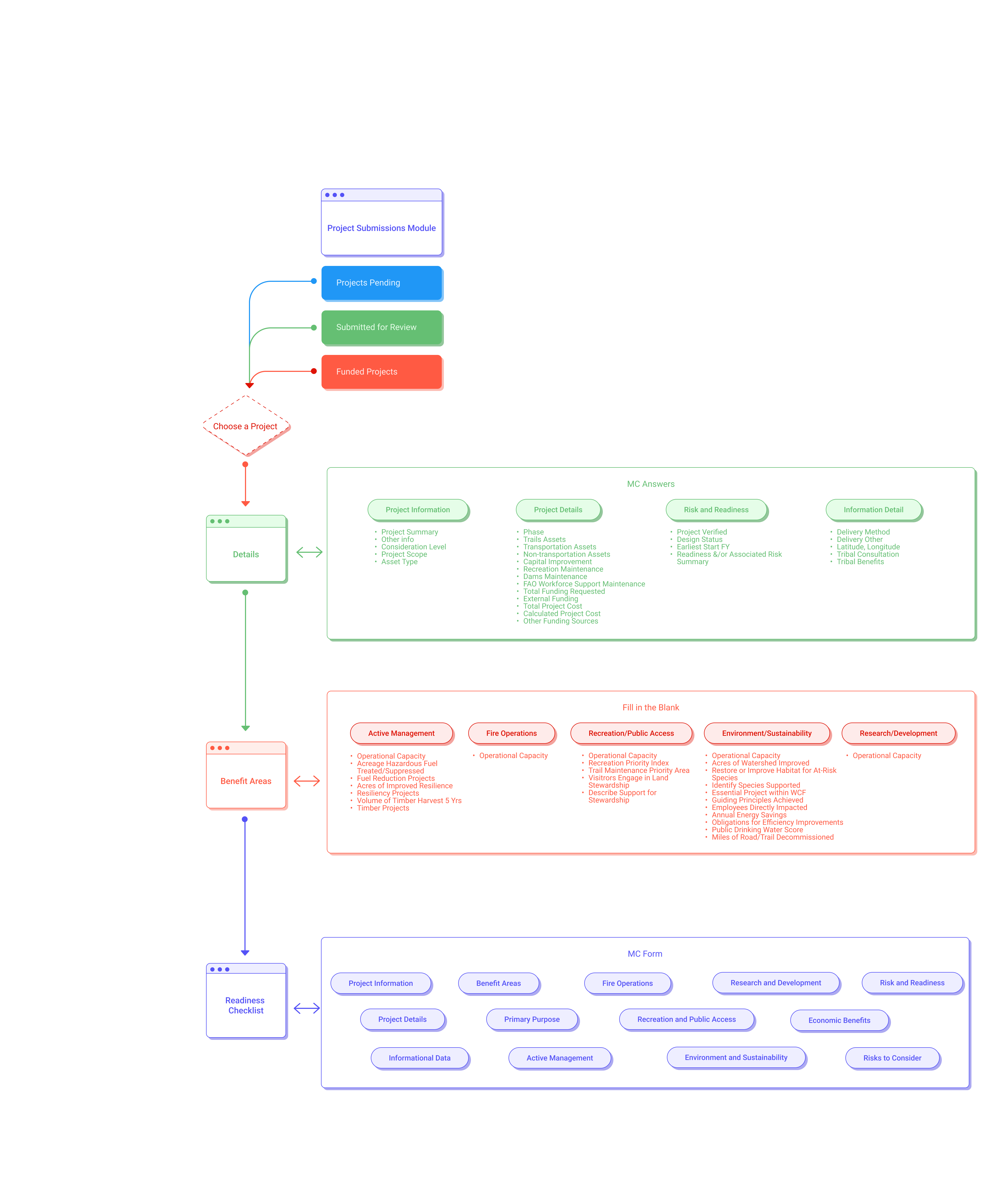
Lo-Fi Design - Submission Module
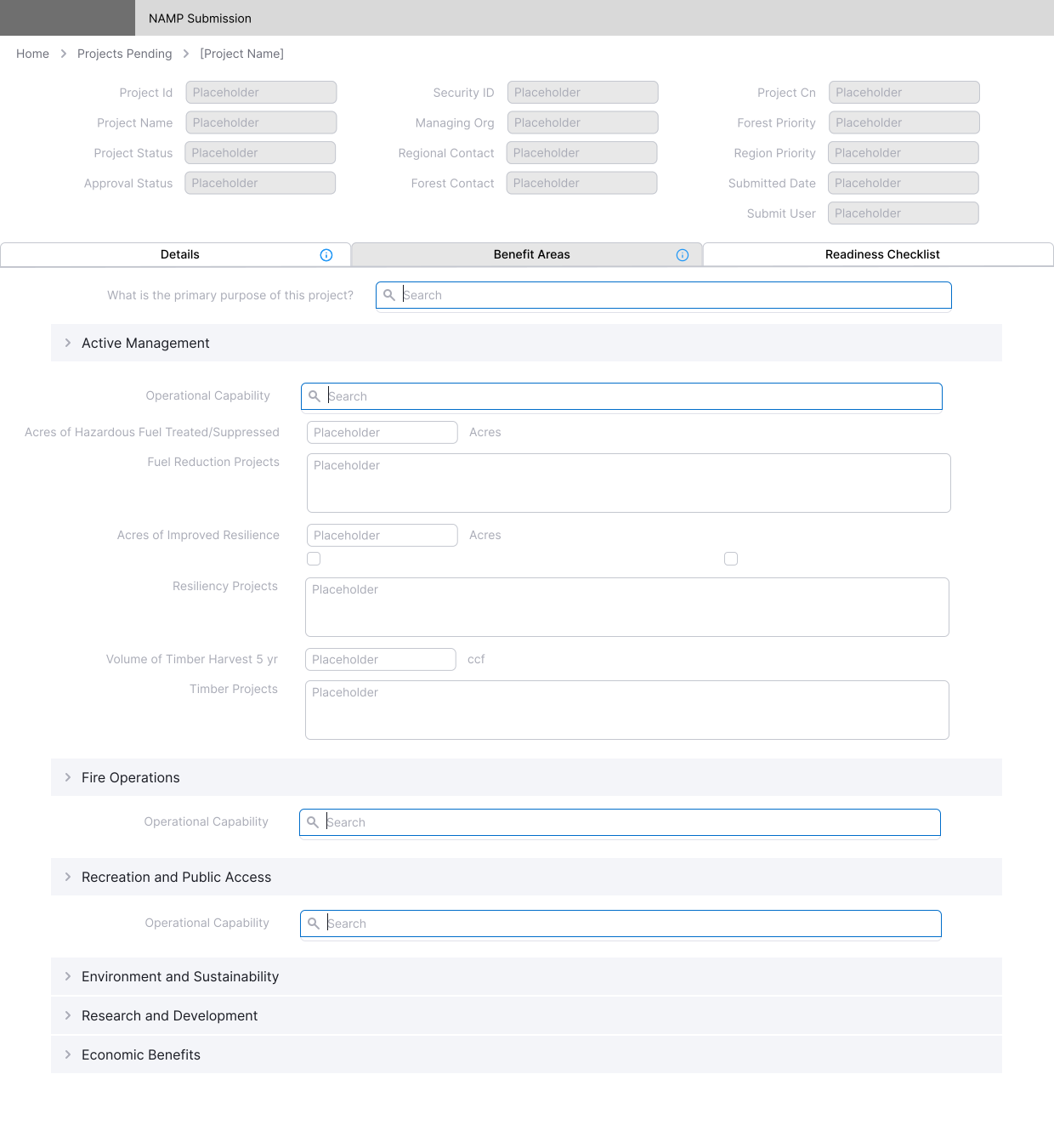
Based on prior user research, we knew this flow was especially confusing; the forms were dense, guidance was limited, and users often relied on outside documentation to complete submissions correctly.
We redesigned the submission experience to better guide users through key steps, clarify required fields, and improve the overall architecture of the form.
I also scoped design components that could be used across other modules to support long-term consistency.
- Redesigned the multi-step submission flow for clarity and usability
- Structured forms to surface key details earlier and reduce user error
- Scoped key interaction patterns to carry into future testing and iteration
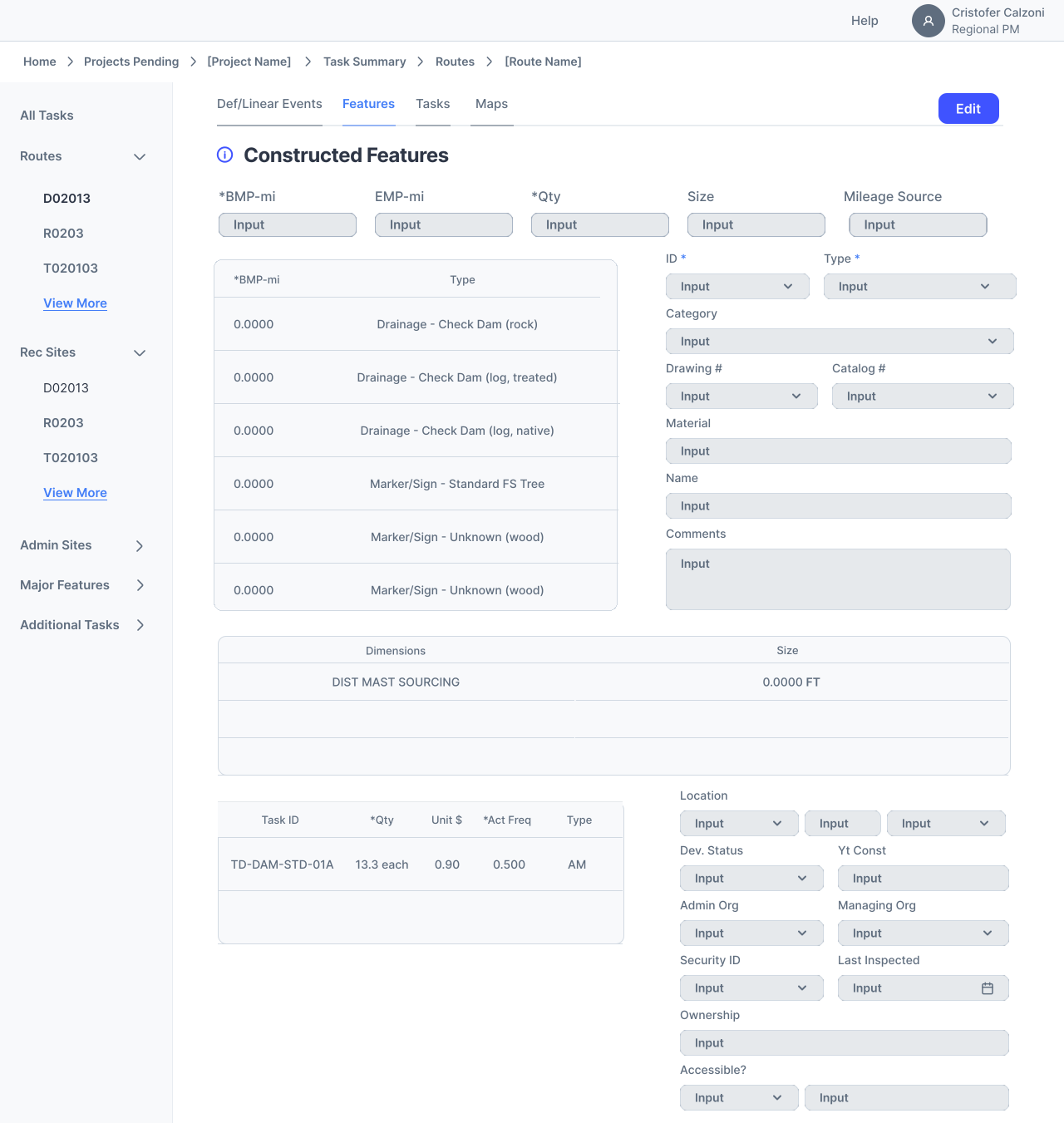
Usability Testing & Hi-Fi Designs
Based on the feedback, we made adjustments to labeling, navigation hierarchy, and guidance elements to reduce confusion and ensure the platform was intuitive.
I focused on applying a consistent visual system across both the Infra Project Module and Project Submission Module, including layout, spacing, and typographic hierarchy.
- Conducted moderated usability tests with five users across roles
- Iterated interactive, high-fidelity prototypes based on test insights
- Refined spacing, architecture, and color to improve clarity and usability
- Designed with accessibility and long-term scalability in mind
Documentation, Handoff, & Presentation
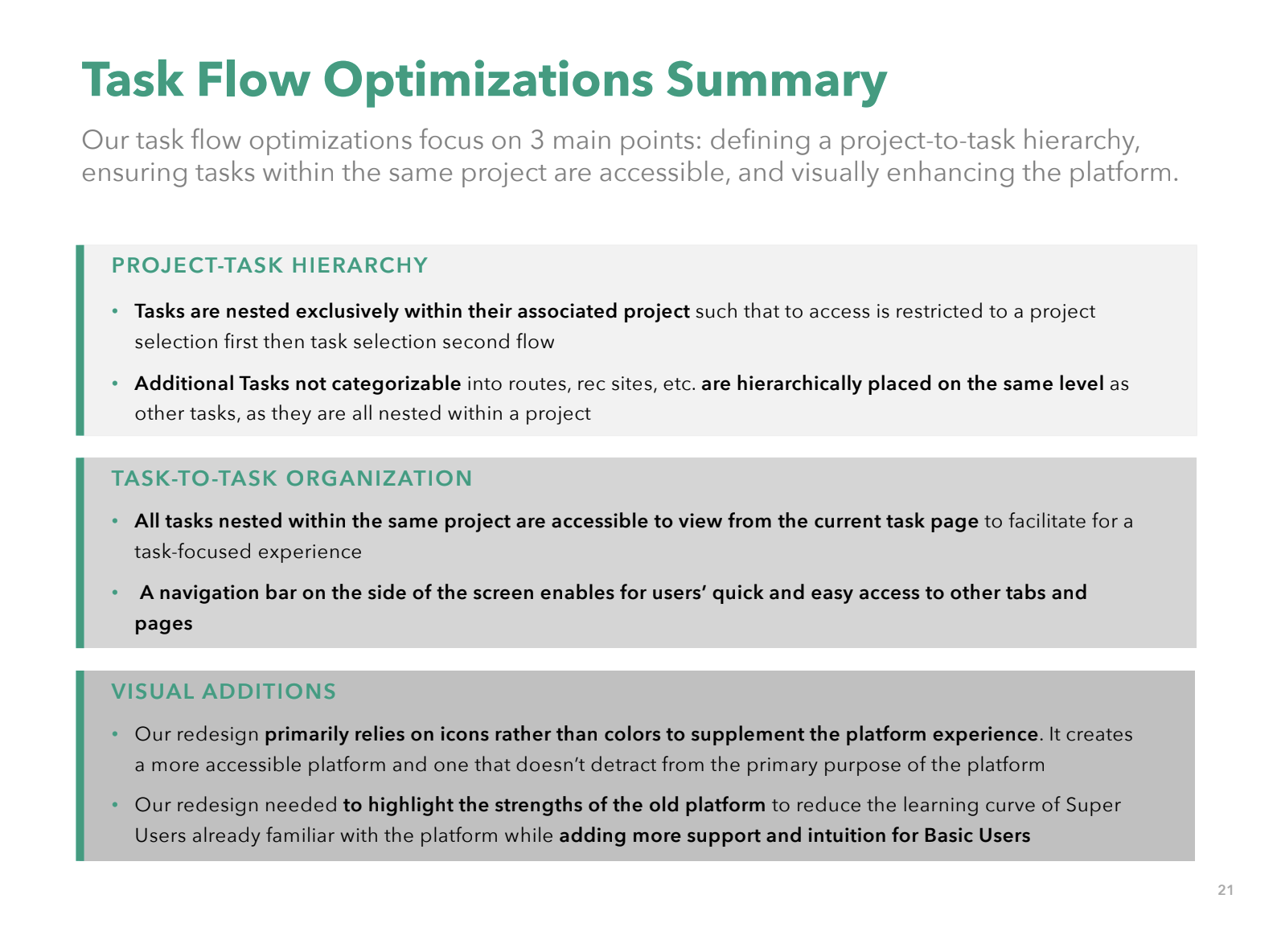
I also led our final stakeholder presentation, walking through user research, design strategy, user flows, and product strategy. This worked to create alignment and momentum for future implementation.
- Created annotated Figma files with component usage
- Documented research insight and design rationale for each module
- Delivered final walkthrough for stakeholders, including design recommendations
- Packaged visuals and prototypes for handoff to internal tech teams
05. Process
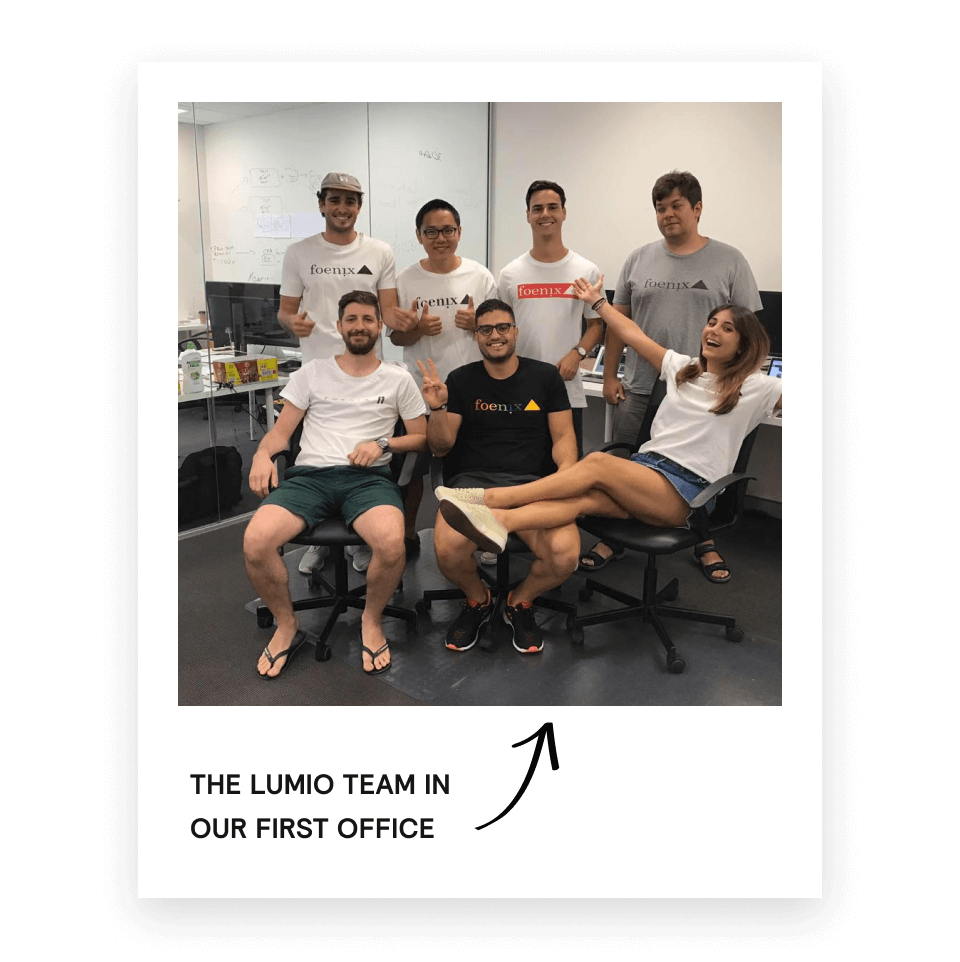

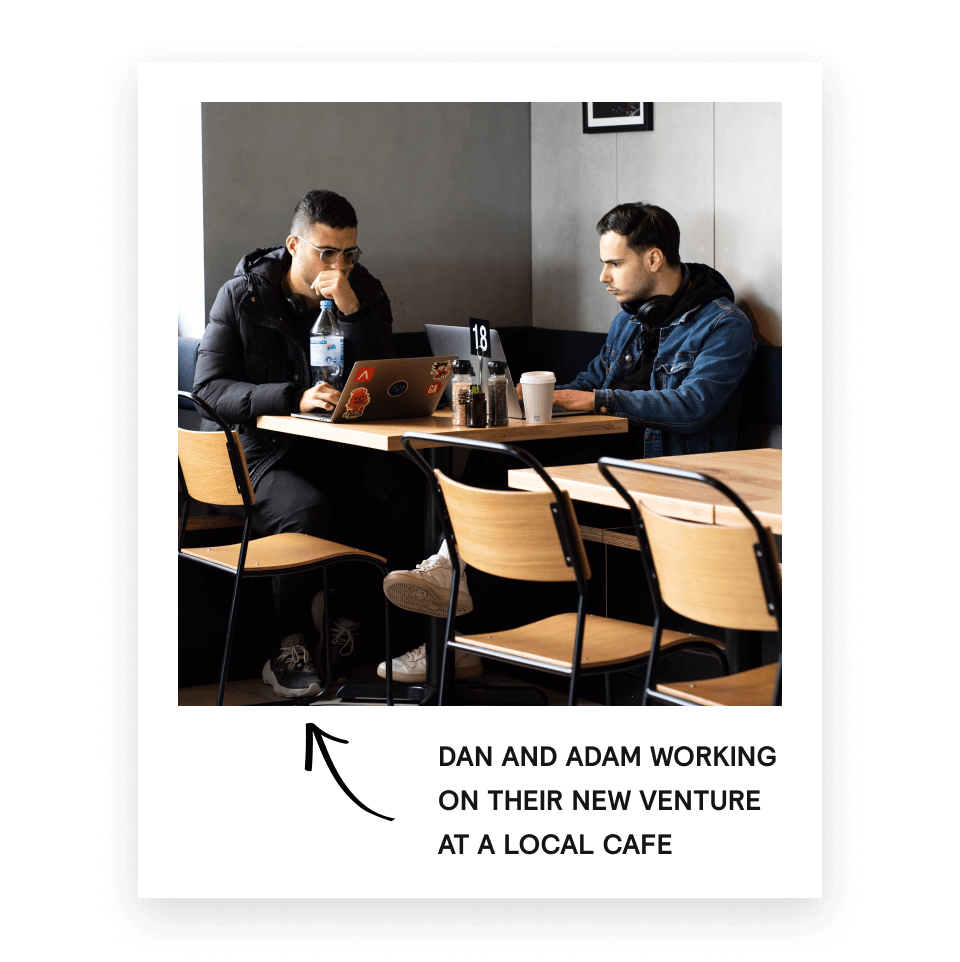
“We were essentially the Instagram police and called out fake influencers left, right and centre. It was fun and all, but there is only so many bikini chicks you can look at on Instagram before you start losing your mind.”
Dan, Co-founder and CEO of Lumio

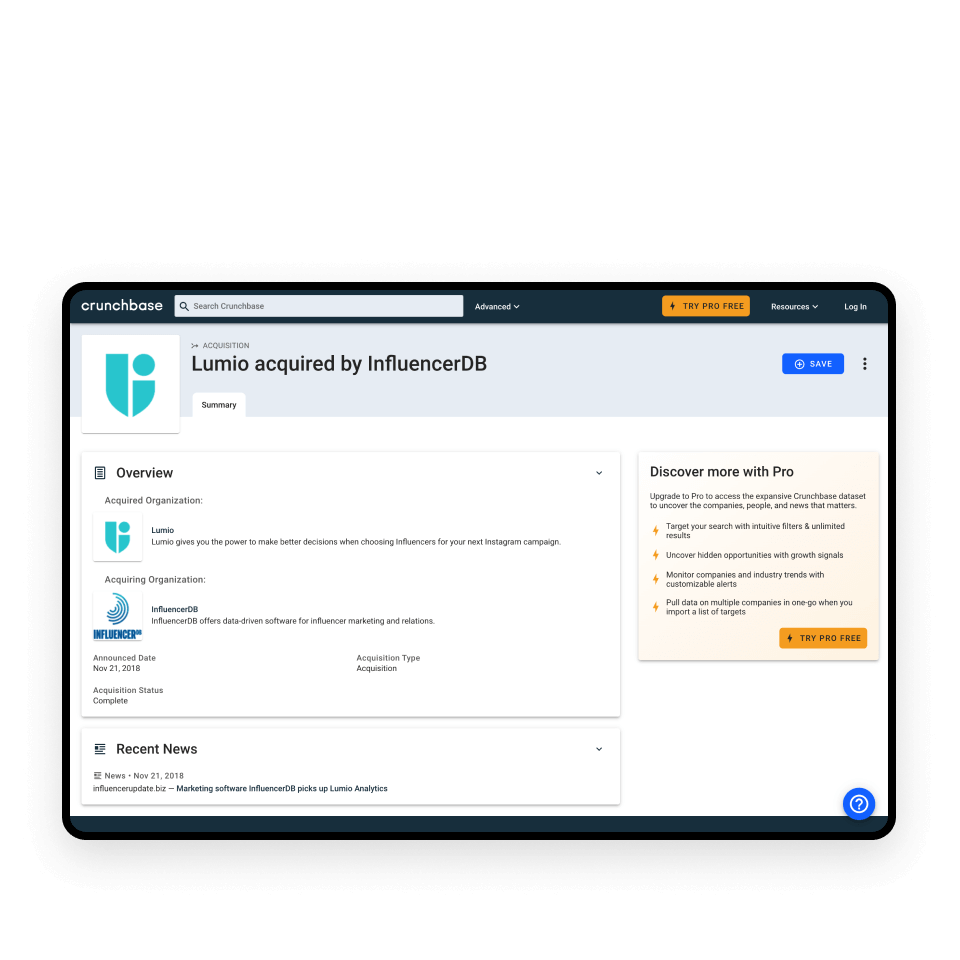

“After this, we both took up golf during the week and started eating fancy dinners at the local Country Club... Ha. This is not what happened at all. We suck at golf and love eating Guzman Y Gomez.”
Adam, Co-founder of Lumio
Whilst in Germany, Dan worked with with brands such as Daniel Wellington and BMW - Ja!
Adam worked with clients like Vodafone, TAFE NSW, Adobe and also won the 'Good Design Australia' award for his work on the Seatfrog website.
To do this they would have to build a company that would be profitable in its first year. Not the next Uber of *insert clever idea*.
06.
The Final Product
Infra Projects Module
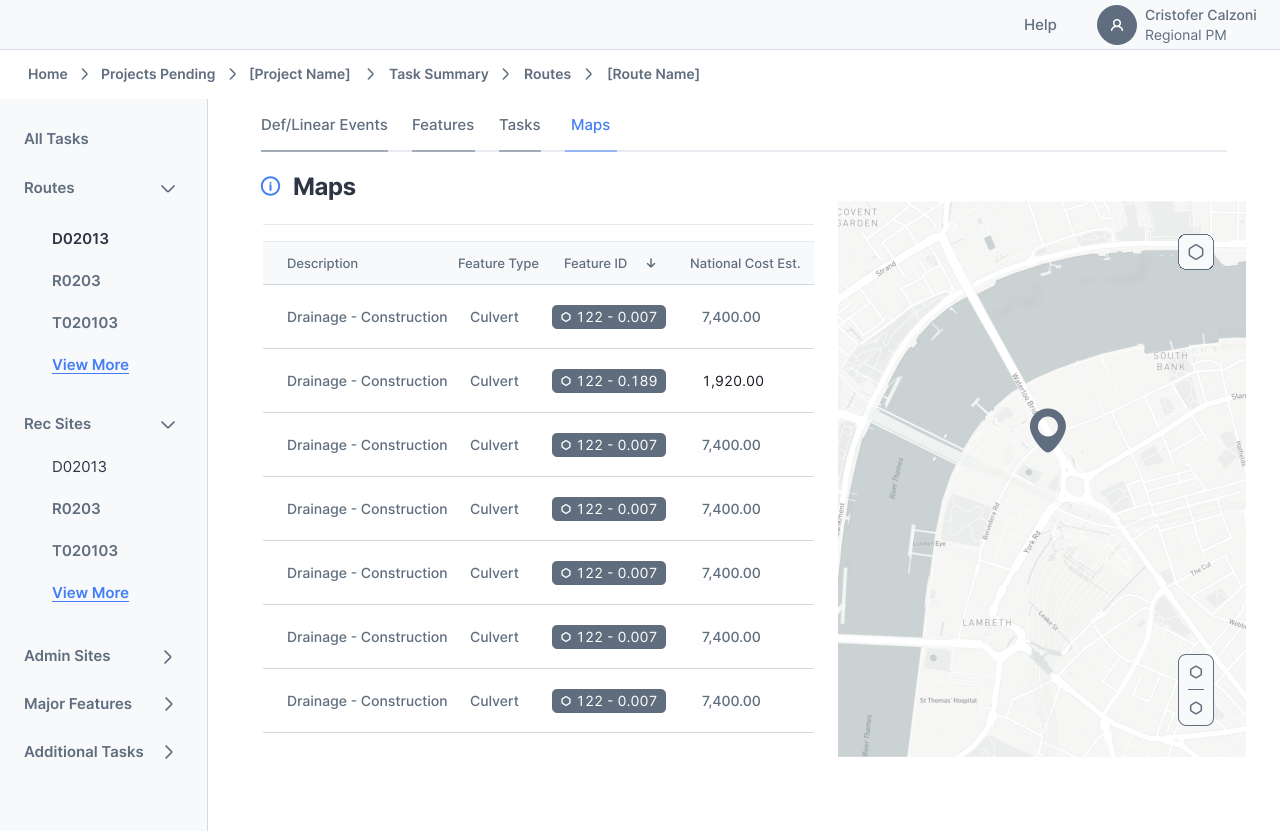
We redesigned this screen to streamline project review and help users more easily understand what’s happening across the system. The original layout buried key details in tabs and nested tables, forcing users to click through multiple views just to get basic information.
In the new version, we grouped projects by region, surfaced project status and funding stage directly on the card, and simplified the visual hierarchy to reduce cognitive load. During usability testing, users described the new layout as “more intuitive” and “way easier to scan," especially those who only log in occasionally or manage dozens of projects at once.
This helped us meet our goal of reducing friction in daily workflow, improving accessibility for both frequent and infrequent users, and supporting faster decision-making without requiring external tools.
Project Submission Module
Submitting a new project used to be one of the most frustrating tasks on the platform. The original workflow was rigid, visually dense, and required users to memorize a sequence of steps across multiple pages.
We redesigned the experience around clarity and progression. We introduced a guided, step-by-step submission flow with built-in field validation, contextual help, and a persistent summary panel. These changes were especially helpful for users who only submit projects a few times a year and often needed support.
During usability testing, participants noted that the new flow made them feel “more confident they were doing it right” and “less likely to make mistakes.”
This design supports our goal of supporting the submission process and reducing the need for outside guidance, allowing projects to be submitted more quickly and accurately.
Full Flow
This animation reflects the full journey from a user's perspective, showcasing how we streamlined a previously fragmented process into a guided experience that's structured, informative, and easy-to-follow.
06. Looking Back
Outcomes
Achieved:
- Redesigned 2 high-traffic modules used to manage over $1 billion in annual funding over 150 national forests.
- Delivered scalable design system with over 25+ modular components and accessibility baked in.
- Achieved Recognition from USDA leadership, receiving a letter of appreciation for driving meaningful improvements.
Lessons
Learned:
- Speak everyone's language. Translating between technical, policy, user needs, and design mindset was necessary to keep the team moving forward.
- Don't design too early. While designing was fun, user research was essential to making sure we were designing the right things.
- Scope alignment is a living process. The scope shifted continuously throughout the process based on research, stakeholder input, and roadblocks along the way.
Skills
Acquired:
- Flow Modeling. Learned to translate ambiguous workflows into structured, multi-step flows grounded in user logic.
- Modular Design Systems. Built reusable designs that support flexibility among various modules and future development.
- Cross-Functional Alignment. Practiced aligning engineering, design, and policy through documentation, meetings, and iterative feedback cycles.